So… what actually is Shopify? 🛍️
Have you also thought Shopify was just a website creator, like me? 👀 If so… it’s not. Shopify has a much bigger ecosystem beyond just creating websites — and there’s a whole different side waiting to be explored.

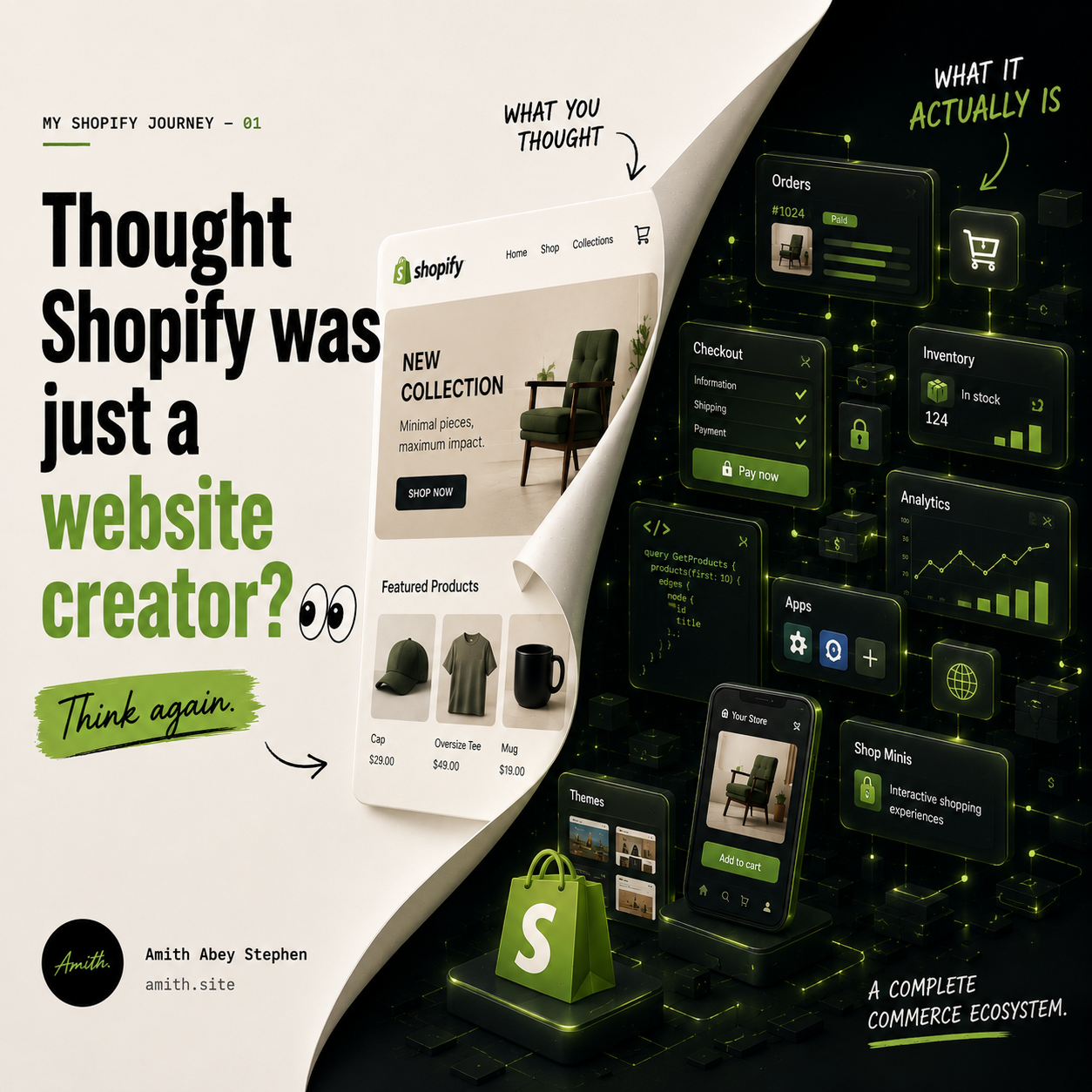
<span style="white-space: pre-wrap;">Image Generated using ChatGPT</span>
Published and syndicated from the Inovus Labs engineering publication by Amith Abey Stephen.
Last time, I shared about starting my journey as a Junior Full Stack Developer and also talked about the first project I got to work on.
Since most of my work is now around Shopify, Arjun Krishna was actually the one who motivated me to write about what Shopify really is.
Before talking more about the projects, apps, and things I’m building, why not start from the base?
So what actually is Shopify? 🤔
At first, I had a very simple understanding of it:
“Shopify helps you create a website to sell your products without needing much coding or technical knowledge.”
And yes… that is true.
But after exploring it more..., bruh, Shopify is much more than just a tool for creating an online store.
Let’s understand it in simple words 👇
Imagine you’re a dropshipper… or maybe you have a small shop and currently sell through Instagram or offline... You have the products ready, but now you want to sell them online.
You’ll probably need a website with
- Product pages
- A shopping cart
- A payment system
- Order management
- Inventory tracking
- Customer details
- Discounts
- Shipping options
- A dashboard to manage everything
Now imagine building all of this from scratch 😵💫. You would need developers, servers, databases, payment integrations, security systems, and a lot of technical work (when you are not a techiee)
This is where Shopify comes in.
Shopify gives you the tools and infrastructure needed to create and manage an online business without having to build the entire system yourself.
You can create your store, add your products, customize how the store looks, set prices, manage orders, accept payments, track inventory, and much more — all from one platform.
So instead of worrying about:
“How do I build a secure checkout system?”
or
“How do I create an admin dashboard to manage orders?”
a business owner can focus more on:
“How do I improve my products and grow my business?”
That is one of the main reasons Shopify is so useful.
But Shopify is not just a website builder 👀
This was something I understood only after exploring it more.
Shopify does help you create an online store, but behind that store, there is a complete commerce system. For example, when a customer buys a product:
Customer visits the store
↓
Browses the products
↓
Adds a product to the cart
↓
Completes the payment
↓
An order is created
↓
The merchant receives the order
↓
The product gets packed and shipped
Shopify helps manage a large part of this entire process. It handles things like:
Products — Add products, prices, images, descriptions, and different variants.
Inventory — Keep track of how many products are available.
Orders — View and manage customer purchases.
Payments — Connect payment methods and process transactions.
Customers — Store customer details and purchase history.
Discounts — Create coupon codes, offers, and promotions.
Analytics — Understand sales, visitors, orders, and business performance.
Store design — Customize how the online store looks using themes.
So Shopify is not just:
“A tool to make an e-commerce website.”
It is more like:
A complete platform that helps businesses create, manage, and grow their commerce experience.
Okay… but is Shopify like Amazon?
Not exactly.
Amazon is a marketplace. If you sell through Amazon, your products are listed inside Amazon’s platform.
Shopify is different. Shopify helps you create your own branded store.
For example:
Instead of selling inside a marketplace, you can have:yourbrand.com
The customers see your brand, your products, your design, and your experience.
Shopify can be working in the background, powering things like the products, cart, checkout, orders, and store management.
In simple words,
a website/ online store where the complete ui(the design) and branding and everything is those fixed by you.
Who can use Shopify?
Shopify is not only for large companies. It is for
- Someone selling handmade products
- A small clothing business
- A local store that wants to start selling online
- A creator selling digital products
- A startup launching a new brand
- A business selling products internationally
- Large companies managing thousands of products
Basically, if you have something to sell, Shopify can help you create the system needed to sell and manage it.(Not a single product, or 1 item sale like olx, but a venture or business you are trying to start!)
Not just this, Shopify has a another face - The Dev Face for all those techies..
As a customer or business owner, you may see Shopify as a platform to create an online store, But as a developer, Shopify is much bigger.
Developers can build:
1. Apps (public or custom)
Extend Shopify’s core features, integrate external systems, and surface UI in admin, storefront, checkout, POS, etc.
Sub-options (surfaces & types)
- Admin apps & tools – dashboards, workflow tools, integrations (ERP, CRM, WMS, etc.)
- Online store apps – theme app extensions (app blocks, app embeds), pixels
- Checkout apps – Checkout UI extensions, post‑purchase extensions
- Customer account apps – Customer Account UI extensions
- POS apps – POS UI extensions (smart grid tiles, carts, actions)
- Payments apps – custom payment providers & methods
- Sales / custom channels – marketplace/social/mobile channels
Docs
- Overview: https://shopify.dev/docs/apps
- App surfaces: https://shopify.dev/docs/apps/build/app-surfaces
2. Themes & Online Storefronts
Build or customize the Liquid-based “Online Store” channel.
Sub-options
- Custom themes – full bespoke themes from scratch
- Theme customization – modify existing themes for merchants
- Theme Store themes – commercial, general‑purpose themes for the Shopify Theme Store
- Theme features – sections/blocks, filters, navigation, localization, markets, etc.
Docs
- Theme dev overview: https://shopify.dev/docs/storefronts/themes
- Theme features: https://shopify.dev/docs/storefronts/themes/theme-features
3. Headless / Custom Storefronts
Use Shopify purely as the commerce backend, with your own frontend stack.
Sub-options
- Storefront API only – any framework / language, fully custom frontend
- Hydrogen – Shopify’s React Router–based framework for storefronts
- Hydrogen React – React component/hooks library on top of Storefront API
- Native or PWA apps – mobile, game, AR/VR, IoT using Storefront API
Docs
- Custom storefronts intro: https://shopify.dev/docs/storefronts/headless/getting-started
- Hydrogen overview: https://shopify.dev/docs/custom-storefronts/hydrogen
4. Shopify Functions (backend customization)
Customize Shopify’s backend behavior with server-side, WASM-based functions that Shopify runs for you.
Sub-options
- Discount Functions – product, order, shipping discounts
- Shipping & delivery logic – shipping discounts, delivery customizations
- Cart & checkout validation – enforce rules on what can be purchased/how
- Order routing & fulfillment constraints
- Payment customizations – payment method ordering/eligibility, messaging
(Almost always configured through an app + admin UI extension.)
Docs
- Functions overview: https://shopify.dev/docs/api/functions
- Build discounts with Functions: https://shopify.dev/docs/apps/build/discounts
5. Shop Minis & Shop App
Build experiences directly inside the Shop consumer app.
Sub-options
- Shop Minis – React-based mini-apps (full‑screen shopping flows) inside Shop
- Quizzes, drops, curated collections, bundles, etc.
- Uses Shop Minis SDK, connects to products/cart/checkout
Docs
- Shop Minis: https://shopify.dev/docs/api/shop-minis
6. Data, Analytics & Automation
Work with store data, reporting, and automated workflows.
Sub-options
- Admin API apps – sync data to external BI/warehouse, back-office systems
- ShopifyQL – SQL-like queries for analytics and reporting apps
- Webhooks & integrations – react to orders, products, customers, etc.
- Shopify Flow integrations – custom Flow actions, triggers, templates
Docs
- APIs & tools overview: https://shopify.dev/docs/api
- ShopifyQL: https://shopify.dev/docs/api/shopifyql
- Flow extensions: https://shopify.dev/docs/apps/build/flow
7. Agentic Commerce (UCP Agents)
Build AI agents that can actually act on behalf of buyers across merchants (not just chat).
Sub-options
- UCP agents – use Universal Commerce Protocol (UCP) and Shopify’s MCP tools to:
- Discover products across merchants
- Build carts & create checkouts
- Hand buyers off to merchant checkout
- Track orders via webhooks & APIs
- Universal Cart – single cart across multiple brands
Docs
- Agentic commerce & UCP: https://shopify.dev/docs/agents
Apps side is what I’m currently getting to explore.
Businesses use Shopify to sell. Developers use Shopify to build tools and experiences that help those businesses sell better. And that is what makes the ecosystem interesting.
A merchant might say:
“I need a better way to manage my store.”
A developer can build a Shopify app for that.
A merchant might say:
“I want customers to discover products in a more engaging way.”
A developer can create an interactive shopping experience for that.
There are options to publish it also , like the shopify app store for apps, theme store for themes similarly, hence even if a business owner doesnt come as. client but you still want to bring your ideas out, there is the space!
So Shopify is not just a platform where people create stores. It is also a large ecosystem where businesses, developers, apps, themes, and services come together.
So, in one sentence…
Shopify helps people create and manage online businesses without having to build the entire commerce system from scratch.
And for developers:
Shopify provides an ecosystem where we can build apps, tools, integrations, and new shopping experiences for businesses and customers.
This is just the base!
Oke, so how do you get started 👀
Once you decide: “Oke… I want to use Shopify.” The next questions are probably: Where do I start?
- Where do I start?
- Do I need to know coding?
- Is Shopify free?
- How much will it cost?
- What things do I need before creating a store?
- How long will it take?
- And what if I’m a developer and want to build using Shopify?
So instead of only talking about the concepts, let’s look at the actual things you’ll need. And since there are two different types of people getting started with Shopify… Let’s look at both.
For those who wants the website
I have products. I want to create a Shopify store 🛍️ for maye your small clothing brand or you sell watches… Handmade products… Digital products… Or literally anything you want to sell online.
What do you actually need?
First… you need something to sell 😭
This might sound obvious…But Shopify doesn’t create the business or products for you. Shopify gives you the platform to sell.
You’ll still need:
- A product or service
- Product images
- Product names
- Product descriptions
- Prices
- Stock information
- A way to deliver the product
For example:
Product:
Classic Silver Watch
Price:
₹4,999
Available:
20 units
Images:
Front view
Side view
Wrist shot
Once you have these ready, you can start creating the store by going to https://www.shopify.com/in and creating in a account there.
Shopify usually provides a free trial or introductory offer for new users.
But Shopify is not completely free forever.
After the trial or promotional period, you’ll need to choose a paid plan if you want to continue running the full store with ₹1,499/mo for annual plans
For a small business, the Basic plan is usually the starting point.
NOTE:
The price can change based on:
- Your country
- Shopify’s current offers
- Monthly or yearly billing
So always check Shopify’s official pricing page before paying. https://www.shopify.com/in/pricing
But just remember: Shopify is a paid platform.
What will the store actually cost? 💰
The Shopify subscription is only one part.
A basic store may have costs like:
Shopify plan:
Around ₹1,500–₹2,000/month
Domain: (if your want your own links like maybe a "mystore.com" or something..)
Around ₹1,000–₹2,000/year
Apps:(some are free, but most apps are subscription based)
₹0–₹5,000+/month
Theme:
Free or a one-time payment
Payment charges:
Depends on the payment provider
So technically, you can start with:
- A basic Shopify plan
- A free theme
- Free apps
And keep the initial cost relatively low, maybe under (₹2,499) without your own domain and under ₹5,000 with a basic domain.
Apps are for extra features, easiness of handling things etc, which is not needed on day one.
A lot of beginners make the mistake of installing too many apps before even getting their first customer.
Start simple.
Do you need coding?
Nope.
You can create a basic Shopify store without writing code.
Shopify provides:
- Ready-made themes
- A visual theme editor
- Product management
- Order management
- Store settings
You can add products and customize many parts of the store directly from Shopify Admin.
Coding becomes useful when you want: - A completely custom design
- Special product experiences
- Custom features
- Advanced integrations
But it is not required to launch a basic store.
What do you need before launching?
Before making the store public, you should have: - Products ready
- Product images
- Product prices
- Product descriptions
- Store name
- Brand logo
- Payment setup
- Shipping setup
- Domain
- Contact information
- Refund policy
- Privacy policy
- Terms and conditions
And most importantly…
Test the full customer journey.
Open the store on your phone.
Browse products.
Add something to the cart.
Go through checkout.
Make sure everything works.
Because the store might look good on your laptop but be broken on mobile😭
Those techies who wants to get started
Now the developer path is different.
You don’t need products...You don’t need to start a real business...And you don’t need to pay for a Shopify store just to learn development.
Shopify provides tools for developers to create development stores and build Shopify apps.
Get Started :
Phase 1 — Set up your Shopify dev environment
1. Create a Shopify Partner account (free)
This is your main developer hub: apps, dev stores, billing, etc.
- Go to: https://partners.shopify.com
- Sign up and complete the basics (business name can be “Personal” if needed).
2. Create a development store
A dev store is a free, safe playground for coding and testing.
- In Partner Dashboard → Stores → Add store → choose Development store.
- Turn on test data (products, customers) so you have something to work with.
3. Install Shopify CLI
The CLI is how you scaffold apps, themes, and Hydrogen storefronts.
- Install (Node 18+ or 20+ recommended):
``` npm i -g @shopify/cli@latest ```
- Docs: Shopify CLI overview
Phase 2 — Pick your first track (app or theme)
Pick one to start. You can always learn the others later.
Option A: Start with an App (recommended if you like backend, React, integrations)
4A. Scaffold your first app
From any folder:
``` shopify app init
cd <your-app-folder>
shopify app dev```
This will:
- Log you into your Partner account
- Create the app in your Dev Dashboard
- Connect it to your dev store
- Start a local dev server and tunnel
Open the URL it prints and install the app on your dev store.
Docs: Scaffold an app
5A. Explore the basic app code
Out of the box you’ll get:
- A React Router–based embedded admin UI
- API routes for calling the Admin API
- Example code (e.g., “Generate a product”)
Spend a bit of time to understand:
- Where the UI lives (usually
app/routes/*orweb/frontend) - Where backend logic/API calls live (e.g.,
app/routes/api.*,web/backend)
6A. Build a tiny real feature
Examples of first features:
- A page that lists products from the Admin API
- A button that tags all products in a collection
- A simple “note” field on orders stored in your own DB
Use the dev server while testing:
``` shopify app dev ```
When stable, commit to Git.
7A. Learn how you’d ship it (even if you don’t yet)
You don’t need to publish on day 1, but understand the paths:
- Public app → listed in the Shopify App Store
- Custom app → installed by direct link for a single client/store
Docs:
Option B: Start with a Theme (if you like Liquid, HTML/CSS, storefront UI)
4B. Create your first theme project
From any folder:
```
shopify theme init
cd <your-theme-folder>
shopify theme dev --store <your-dev-store.myshopify.com>
```
You’ll clone a starter theme and start a local dev server with live preview.
Docs:
5B. Learn the basics of Liquid & theme structure
Focus on:
layout/,templates/,sections/,snippets/- How sections and blocks are configured via JSON schema
- How to output dynamic data with Liquid, e.g.:
liquidCopy1234 {{ product.title }} {% for product in collections.frontpage.products %} {{ product.title }} {% endfor %}
6B. Make 2–3 visible changes
For example:
- Add a new section to the homepage (e.g., custom banner or featured products)
- Add a setting to an existing section (custom text or image)
- Change product page layout using an extra snippet
Preview changes with:
bashCopy1shopify theme dev
7B. Understand how themes are “shipped”
- For clients: upload/push theme to their store, publish as live theme.
- For Theme Store: later, you can package and submit for review.
Docs: Theme dev overview
Phase 3 — Learn APIs & Extensions
Once you’re comfortable with a basic app or theme:
8. Learn the Admin and Storefront APIs
- Admin API: build tools/integrations for merchants (products, orders, customers).
- Storefront API: power custom storefronts, mobile apps, headless.
Docs: Shopify APIs, libraries, and tools
9. Try one “extension surface”
Pick one of these to play with:
- Theme app extension (if you started with apps + storefront):
Add an app block into the Online Store. - Checkout UI extension:
Put a small banner or line item block in checkout. - Customer Account UI extension:
Add a panel to the new customer accounts.
Each has a CLI template:
``` shopify app generate extension ```
Docs (entry point): App surfaces
And that is the interesting part…
As a merchant, Shopify helps you sell.
As a developer, Shopify gives you the tools to build products that help merchants sell better.
Soo… which one are you? 👀 If you have products and want to sell:
- Start with Shopify Admin, products, themes, payments and shipping.
- Your starting cost will usually include:
Shopify plan + domain + any apps or services you need.
If you’re a developer:
- Start with a Shopify Partner account and a development store.»
- Your initial cost can be: ₹0.
- And then choose what you want to build: Themes, Apps, Custom storefronts, Shopping experiences (shop mini)
Soo yh… Getting started with Shopify doesn’t mean the same thing for everyone.
For a business owner, it means:
“How do I launch and run my online store?”
For a developer, it means:
“How do I build things inside the Shopify ecosystem?”
Two different paths… Two different requirements… But both can start today 👀 And this is just the practical starting point.
Enjoyed this reflection?
Read community comments, responses, and join the discussion directly on Inovus Labs.
Discuss on Inovus Labs Blog